Monitoring Made Easy: How to Get Early Warnings About Operational Issues

Monitoring Made Easy: How to Get Early Warnings About Operational Issues
When a system goes down or a key function stops working, the impact can be immediate—lost revenue, frustrated users, and damage to your reputation. That’s why monitoring is one of the most critical aspects of modern IT operations. The good news? It doesn’t have to be complicated. With the right tools and a smart approach, you can detect early signs of trouble before they turn into full-blown outages. Here’s how to make monitoring simple, effective, and proactive.
Why Monitoring Matters
Monitoring isn’t just about spotting failures when they happen—it’s about understanding how your systems behave so you can act before issues escalate. A small spike in response time, rising CPU usage, or an unusual pattern in your logs can all be early indicators that something’s off.
Without monitoring, you often find out about problems only when users start complaining. By then, the damage is done. A well-designed monitoring setup alerts you as soon as something deviates from normal, giving you time to fix it before it affects operations.
Start with What’s Most Critical
It’s tempting to monitor everything, but that’s rarely necessary. Begin with the systems and services that are most vital to your business—your web servers, databases, payment systems, or internal applications.
Create a prioritized list of what needs to be monitored and which events require immediate attention. This helps you focus on what truly matters and prevents you from drowning in unnecessary alerts.
Choose the Right Tools
There’s no shortage of monitoring tools out there—from open-source solutions to advanced cloud-based platforms. The best choice depends on your needs, resources, and technical expertise.
- Open-source tools like Prometheus, Zabbix, or Nagios offer flexibility and control but may require more setup and maintenance.
- Cloud-based services such as Datadog, New Relic, or AWS CloudWatch provide quick deployment, built-in dashboards, and integrations with other cloud tools.
- Lightweight options like UptimeRobot or Pingdom are great if you just need to track uptime and response times.
The key is to pick a tool that fits your organization—and to actually use the data it collects to make informed decisions.
Set Up Alerts Thoughtfully
Good monitoring isn’t just about getting alerts—it’s about getting the right alerts at the right time. Too many notifications can lead to “alert fatigue,” where important warnings get ignored.
Define clear thresholds for when alerts should trigger and who should receive them. Consider using different alert levels—for example, warnings for minor deviations and critical alerts for major failures.
Also, choose notification channels that match the urgency: email for routine alerts, SMS or chat messages for critical incidents that need immediate attention.
Læs også:

Visualize Your Data
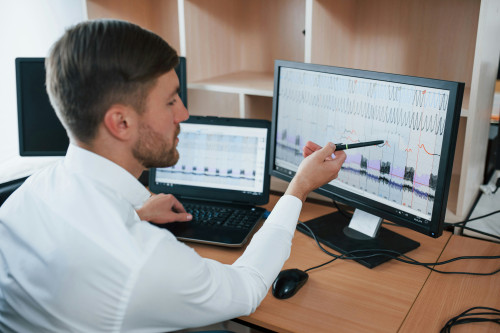
A well-designed dashboard can make all the difference. When you can see trends in load, response times, and error rates over time, it becomes much easier to spot patterns and act before problems escalate.
Most monitoring tools let you create graphs and reports that summarize key metrics. Use them actively—not just for daily operations, but also for performance reviews and reporting to management or clients. Visual data helps you demonstrate reliability and identify areas for improvement.
Automate Where It Makes Sense
Automation can help you resolve issues faster—or even prevent them altogether. You can set up scripts that automatically restart a service, clear a cache, or notify the right person when a problem occurs.
Automation saves time and reduces the risk of human error. Just make sure your automated actions are well-tested and documented so they don’t create new issues.
Learn from Incidents
Even with the best monitoring setup, things will go wrong from time to time. What matters most is how you respond and what you learn. After each incident, take time to analyze what happened: What caused it? Could it have been detected earlier? Do your thresholds or alerts need adjustment?
By learning from past events, you can continuously refine your monitoring strategy and make it more accurate. Monitoring isn’t a one-time project—it’s an evolving process that grows with your systems.
Make Monitoring Part of Your Culture
The biggest benefits come when monitoring becomes a natural part of daily operations, not a separate task. Make sure everyone on your team understands how the monitoring system works and how to respond to alerts.
When monitoring is embedded in your culture, it creates stability, predictability, and better collaboration between development and operations. That means fewer surprises—and more time to focus on innovation instead of firefighting.
Læs også: